Housing
What makes a house functional?
A house needs three connected parts: an exterior, a House POI with residential capacity, and placement in the world. Appearance alone does not make it functional.
Follow the Demo’s existing-house tutorial
Demo Patches 5–6 · These rules describe the Demo; Early Access may change them.
Updated 2026-10-28
Three layers, three jobs
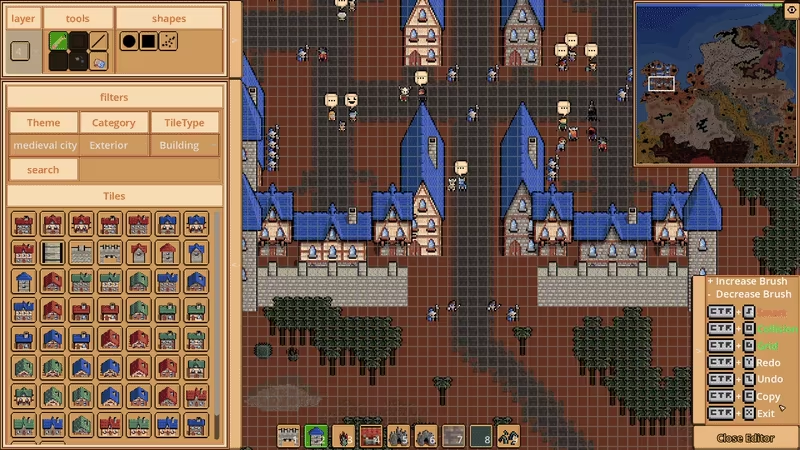
Official exterior-building editing preview; exact build unspecified.
- Appearance · Exterior Editor
The building’s visual design.
- House POI · Template Editor
The residential definition behind the house.
Residential capacity is the number of residents configured here.
- Placement · POI Map Editor
Places the configured House POI in the world, giving it function there.
A visible house and a functional house
A building that looks like a house does not, by its appearance alone, establish residential capacity. Match your question to the layer that controls it.
| Your question | Relevant layer | What it controls |
|---|---|---|
| Why does it only look like a house? | Exterior Editor | The visual design, not housing capacity. |
| Where is the resident count defined? | Template Editor | The House POI and the number of residents it supports. |
| How does that content belong in the map? | POI Map Editor | Placement of the functional House POI in the world. |
Demo tutorial: make existing houses functional
Start in the Demo’s prepared Tutorial island, with its existing house tiles and House POI prefab. This June 20, 2026 walkthrough follows the tutorial’s population and housing tasks; it does not show custom House capacity settings or the Early Access build.
Spawn the tutorial city’s population
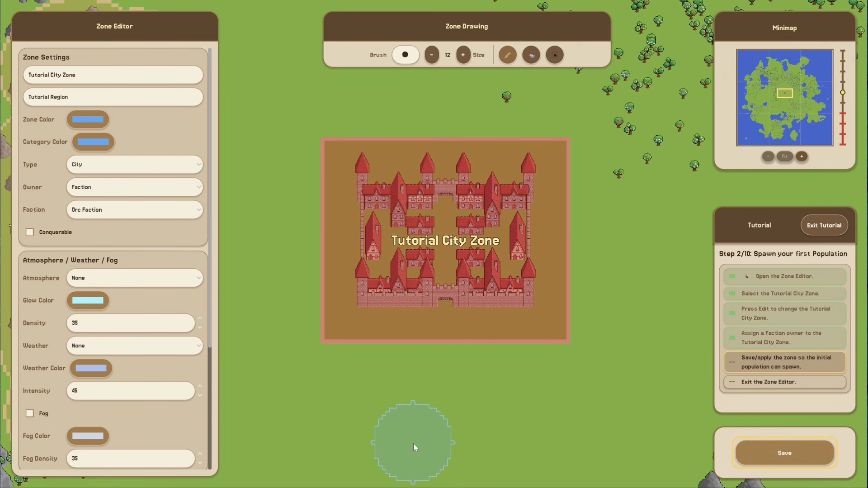
Open Zone Editor, select Tutorial City Zone, and choose Edit. Set Owner to Faction and choose a faction in the Faction field instead of None. The walkthrough uses Orc Faction; that is an example choice. Save the zone, then Exit Zone Editor. The tutorial’s initial population spawns from the faction-owned city before you add housing functionality.
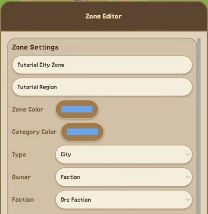
02:19 · The Owner and Faction fields. The Save button is visible in the full game frame.View full game frame (868 × 488) Place the supplied House POIs
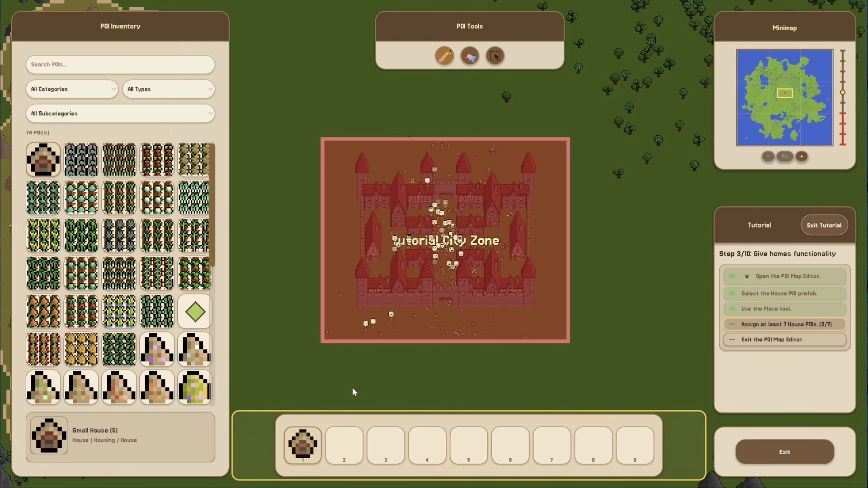
Open POI Map Editor and select the existing House POI prefab in POI Inventory. Use the Place tool to assign it to the tutorial’s house tiles. Before placing, hover over a tile to see the full footprint and entrance arrow. F4 toggles the current zone’s collision overlay to help check movement around the marked house. Assign at least 7 House POIs, as this tutorial task requires, then Exit POI Map Editor. Seven is this tutorial’s checklist target, not a general house count or residential-capacity rule.
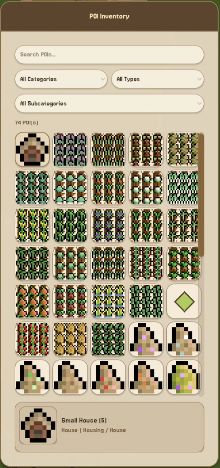
03:04 · The selected House prefab. POI Tools and the tutorial checklist are visible in the full game frame.View full game frame (868 × 488) Check the housing task is complete
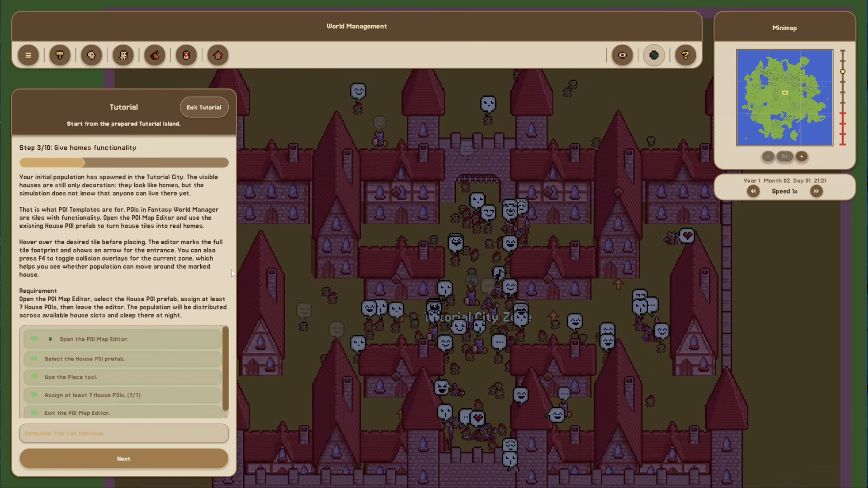
After leaving the editor, check Step 3/10: Give homes functionality. Look for 7/7 House POIs and all requirement checkmarks, then choose Next. The recording continues to Step 4/10: Connecting Zones at 03:49.
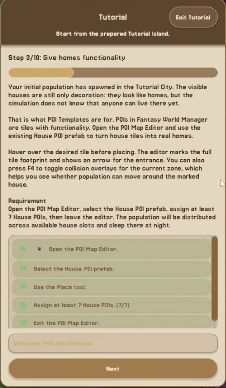
03:29 · The completed housing task after exiting POI Map Editor.View full game frame (868 × 488)
Tutorial completion check
The demonstrated tutorial result is 7/7 with all requirements checked after exiting the editor, followed by Next taking the walkthrough to Step 4: Connecting Zones.
The game’s tutorial says population will be distributed across available house slots and sleep there at night. That is the tutorial’s stated behavior; this captured sequence confirms the functionality task, not an observed resident moving in or sleeping.
To choose your own residential capacity, the House POI still needs configuration in Template Editor. The exact capacity field and a complete custom-house-to-occupancy procedure are not shown in this walkthrough.
Demo walkthrough and game frames: TheDuoDesign, June 20, 2026 · 01:47–03:49 . Game: Florian Alushaj / Legendary Pixels.
What Demo Patch 6 changed
The June 18 update added footprint-based placement and entry markers to House and Building POIs, and improved sleep and home behavior. These placement and behavior changes sit alongside the three-layer model above.
Where prefabs fit
Prefabs package pre-created editor content and can simplify working across the layers. Demo Patch 5 introduced default prefabs that could be toggled in World Creation; Patch 6 made imported prefabs editable world content. For a learning sequence, see the editors reference below.