Editors
Which editor should you use?
For a building’s looks, use Exterior Editor; for a House POI and resident capacity, use Template Editor; for placement in the world, use POI Map Editor. Prefabs offer existing content to learn from. In the Demo, F1 opens the Guidebook in each editor.
Demo Patches 5–6 · These rules describe the Demo; Early Access may change them.
Updated 2026-10-28
Which editor does what
| Editor | Its job | Housing connection |
|---|---|---|
| Exterior Editor | Visual design | Creates the building’s appearance. |
| Template Editor | Functional configuration | Creates the House POI and configures residential capacity. |
| POI Map Editor | World placement | Places the House POI in the map, giving it function there. |
A useful order for learning
Our recommendation: use a default prefab to understand an existing example, then study one layer at a time. The sequence below follows the published responsibilities of the three editors.
- Look at a default prefab
Use pre-created content as a reference for how editor content fits together.
- Separate appearance from function
Identify what belongs to Exterior Editor before changing the functional definition.
- Read the House POI configuration
Focus on Template Editor’s responsibility for the residential template and capacity.
- Connect the template to world placement
Study POI Map Editor’s role in placing that functional House POI.
Recognize the editors
Official store previews; exact builds unspecified.
Exterior Editor · appearance
Creates the visual layer. Read the Exterior Editor reference →
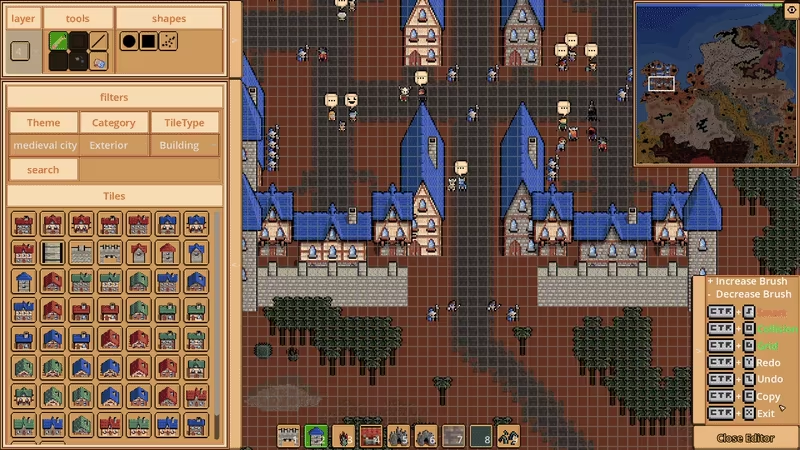
Official exterior-building editing preview.
Template Editor · House POIs and capacity
Defines the House POI and its capacity. Read the Template Editor reference →
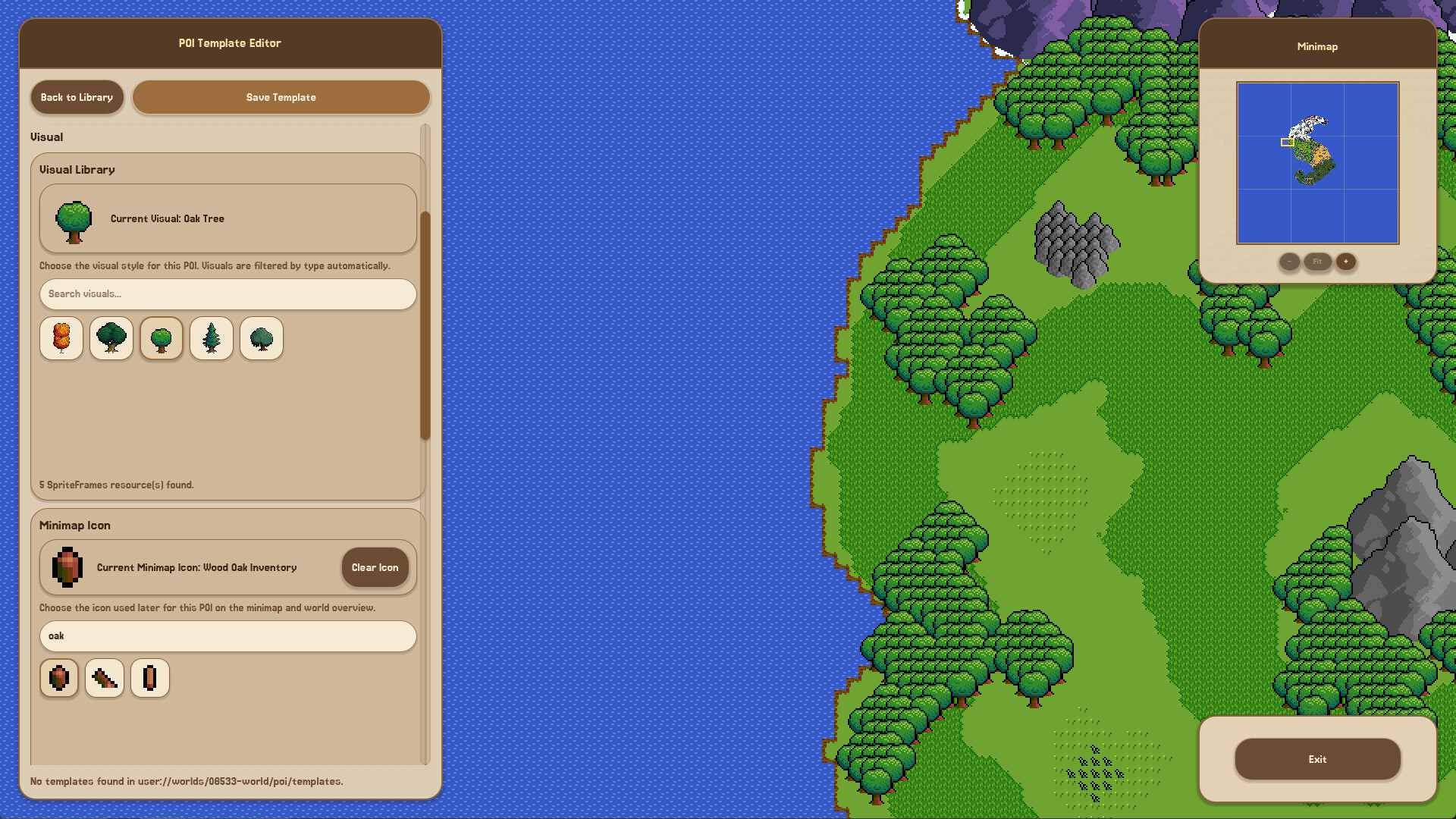
The title and Visual Library identify the editor. This is a tree template; Housing capacity is not shown. The full original also shows the Minimap Icon selector.
View the full template preview (1920 × 1080)POI Map Editor handles world placement. Follow the Demo’s House POI placement tutorial and see its interface →
Prefabs and the Guidebook
Prefabs supply reusable editor content. Demo Patch 5 announced F1 as the Guidebook shortcut in each editor. The dedicated Prefabs reference explains defaults, import/export capability, and editability after import.
Early Access plans versus Demo features
Launch plans are separate from these Demo editor roles. The dedicated release and Workshop references cover the dated announcements; Box Mode remains a future Q1 2027 plan.