Editors & Prefabs
Exterior Editor
Exterior Editor creates a building’s appearance. For functional housing, that visual design still needs a House POI with residential capacity in Template Editor and placement through POI Map Editor.
Demo housing explanation · official store preview
Updated 2026-10-28
Recognize the exterior-building preview
Use the official preview to recognize the visual-building context; it does not show a residential-capacity setting.
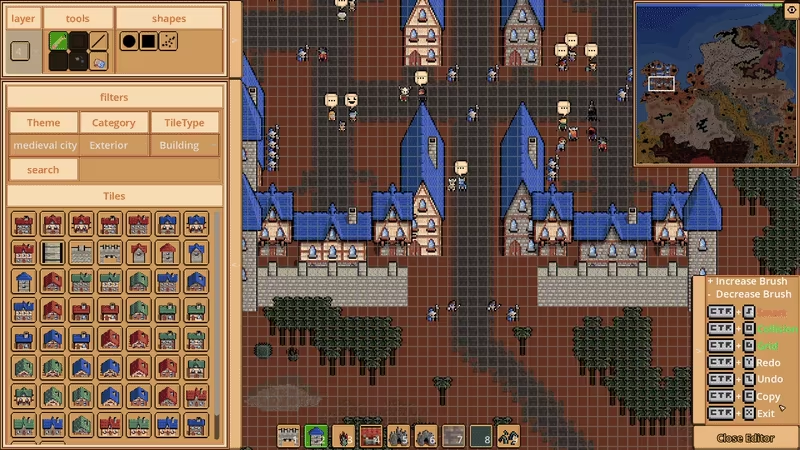
Official exterior-building editing preview; exact build unspecified.
Materials at the left. The filters show Exterior and Building, above the Tiles grid.
Appearance on the canvas. Blue-roofed castles and buildings show the visual layer being edited.
Appearance is one housing layer
An exterior can look like a house without making a functional residence. The developer separates the visible design from the House POI’s resident count and from placement in the world.
| Your goal | Relevant editor |
|---|---|
| Change the building’s appearance | Exterior Editor |
| Define a House POI and resident capacity | Template Editor |
| Place the configured House POI in the world | POI Map Editor |
Which editor should you choose?
Use Exterior Editor when your question is about how the building looks. If your question is how many residents it supports, move to the Template Editor explanation. If the question is how it belongs in the map, follow the complete three-layer housing explanation.