Editors & Prefabs
Template Editor
Template Editor defines a POI’s function. In the developer’s housing example, it creates the House POI and sets how many residents it supports. Building appearance belongs to Exterior Editor; world placement belongs to POI Map Editor.
Demo housing explanation · official store preview
Updated 2026-10-28
Recognize the POI Template Editor
The official image identifies the POI Template Editor through its title and Visual Library. Its example is an Oak Tree, so use it to recognize the editor, not to locate a housing-capacity control.
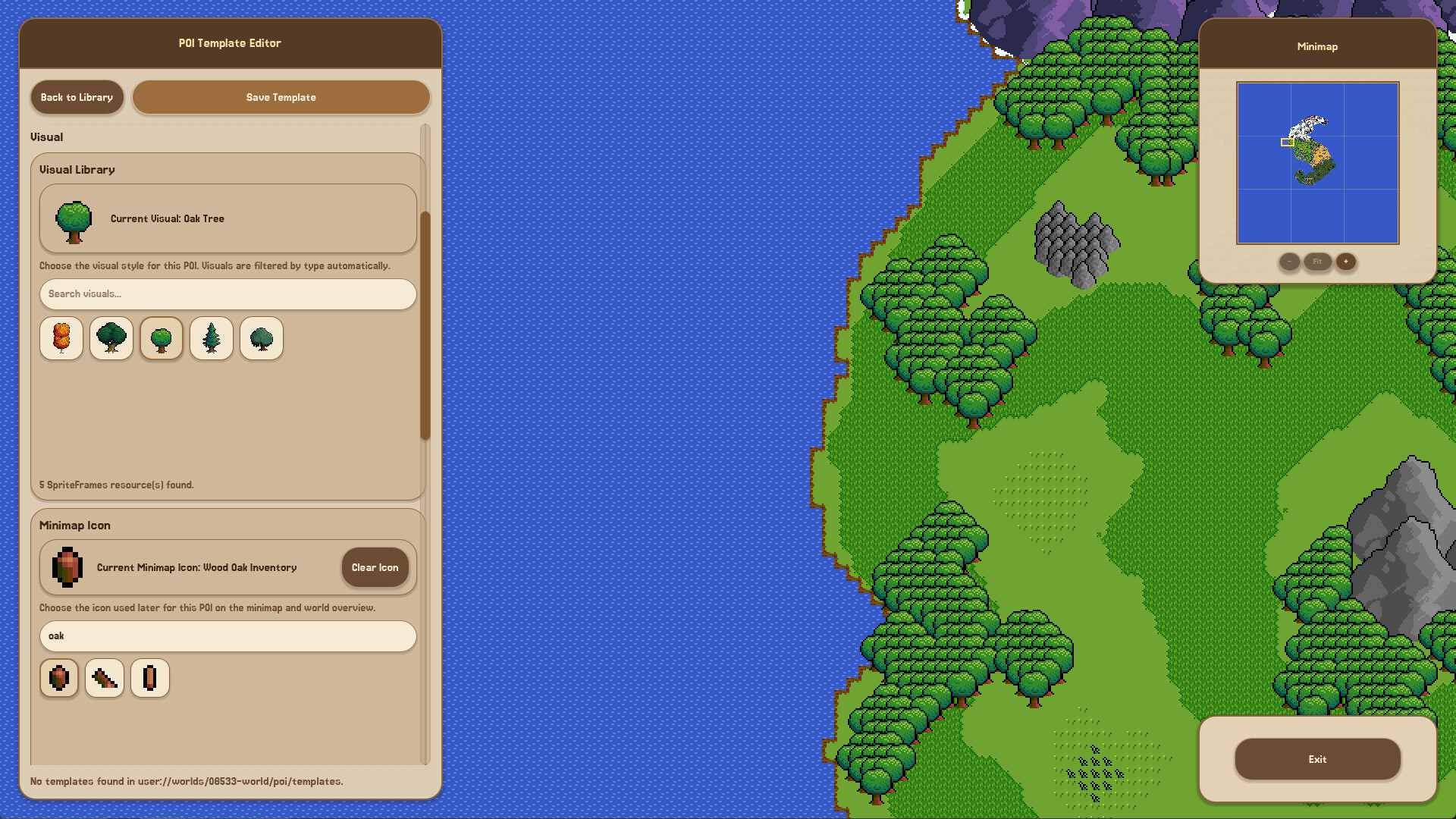
The title and Visual Library identify the editor. This is a tree template; Housing capacity is not shown. The full original also shows the Minimap Icon selector.
View the full template preview (1920 × 1080)What belongs in the housing template
For a House POI, Template Editor configures the residential definition and resident count. This is separate from drawing an exterior that resembles a house.
| Layer | Responsibility |
|---|---|
| Exterior Editor | Create the visible building design. |
| Template Editor | Create the House POI and configure residential capacity. |
| POI Map Editor | Place the configured House POI in the world. |
From a template to world content
A configured House POI still needs placement through POI Map Editor. Prefabs provide reusable editor content; Demo Patch 6 made imported prefab content editable as part of the world. The housing relationship page keeps these connected responsibilities together.